
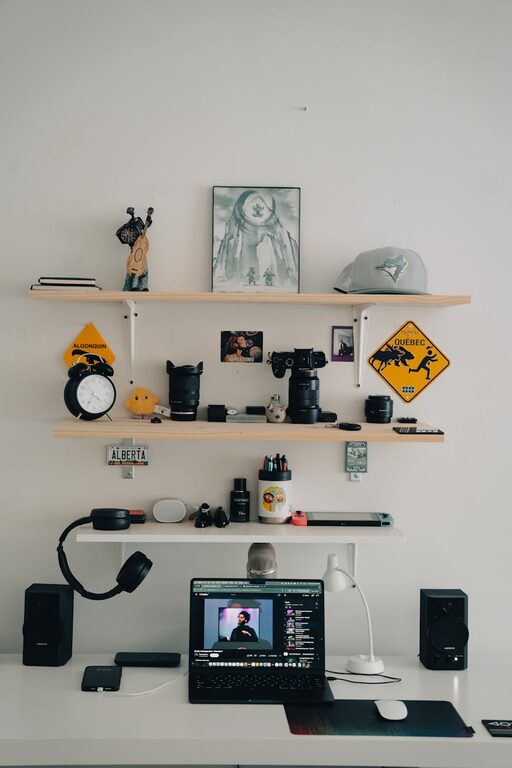
In today’s connected world, it’s easy to feel overwhelmed by the sheer amount of digital clutter we accumulate. From overflowing inboxes to disorganized files and countless apps, digital clutter can affect your productivity and peace of mind. Fortunately, taking the time to declutter your digital life can lead to greater focus, reduced stress, and improved efficiency.
In this guide, we’ll explore practical steps to help you organize your digital world. Whether you’re a student, professional, or just someone looking for a calmer digital environment, these tips will set you on the right path.
Why Decluttering Your Digital Life Matters
Digital clutter isn’t just about aesthetics — it impacts how you work and feel. When your devices and accounts are cluttered, it’s harder to find what you need, leading to wasted time and frustration. Reducing this clutter can help you:
– Boost productivity by making apps and files easier to access
– Minimize distractions and improve focus
– Enhance digital security by removing unused accounts
– Free up storage space for important files and media
– Create a calming digital environment that supports mental wellbeing
Step 1: Clear Out Your Email Inbox
Email tends to be the largest source of digital clutter for many people. A messy inbox can cause missed messages and stress.
Tips to clean your inbox:
– Unsubscribe from unnecessary newsletters and promotions. Use tools like Unroll.Me or manually unsubscribe at the bottom of emails.
– Delete or archive old emails. Keep only what’s important or likely to be needed later. Consider setting a time frame (e.g., delete emails older than one year).
– Create folders or labels. Organize incoming emails by topic, project, or priority for easier access.
– Use filters and rules. Automate sorting of emails so they land where you want without manual effort.
– Schedule regular inbox cleanups. Even a few minutes a week can prevent buildup.
Step 2: Organize Your Files and Folders
Disorganized files make finding documents time-consuming and frustrating. Creating a clean, logical file structure will save you effort in the long run.
How to organize digital files:
– Delete duplicates and outdated files. Use tools like Duplicate Cleaner or Gemini to identify repeated files.
– Create a clear folder hierarchy. For example, separate folders for Work, Personal, Finances, Photos, and so on.
– Use consistent and descriptive filenames. Avoid vague names like “Document1” or “Untitled.” Instead, include dates or keywords.
– Back up important files. Use cloud services (Google Drive, Dropbox) or external drives to protect against data loss.
– Consider going paperless. Digitize important paper documents and store them appropriately.
Step 3: Streamline Your Apps and Software
Too many apps can clutter your phone or computer, drain resources, and slow down your devices. Keeping only what you use frequently can help.
App decluttering tips:
– Review all installed apps. Identify those you haven’t used in the last month and consider deleting them.
– Prioritize multi-function apps. Instead of many single-purpose apps, use ones that cover several needs (calendar + reminders, for example).
– Organize apps into folders. Group similar apps together for easier navigation.
– Disable or uninstall browser extensions you don’t need. Extensions can slow browsing and create distractions.
– Update apps regularly. Updates often improve performance and security.
Step 4: Manage Your Digital Accounts
Many of us have accounts on sites and services we no longer use. These can pose privacy risks and clutter your login experience.
Steps for managing accounts:
– Make a list of active accounts and passwords. Password managers like LastPass or Bitwarden can help securely store this information.
– Delete or deactivate unused accounts. Visit account settings or look up how to remove accounts for each service.
– Review privacy settings. Adjust what data is shared and keep your online profile secure.
– Enable two-factor authentication on important accounts. This adds an extra layer of security.
Step 5: Reduce Digital Distractions
Decluttering your devices also means limiting interruptions to maintain focus.
Tips to minimize distractions:
– Turn off non-essential notifications. Decide which apps truly need to alert you and disable the rest.
– Use “Do Not Disturb” modes during focus times. Set these on your phone and computer to avoid interruptions.
– Create dedicated “focus” or “productivity” profiles/apps. Some phones allow you to switch modes that limit distractions.
– Limit social media usage. Use built-in app timers or apps like Forest to help stay on track.
– Organize your home screen for efficiency. Keep only essential apps visible and hide or remove others.
Step 6: Set Up Regular Maintenance Habits
Digital decluttering isn’t a one-time task. Setting routines helps keep your digital space clean over time.
Suggested routines:
– Weekly inbox review to delete or respond to emails.
– Monthly file organization to tidy up downloads, documents, and photos.
– Quarterly app review to uninstall rarely used apps and update the rest.
– Periodic password and account checkups for security.
– Daily “digital detox” periods where you avoid screens to refresh your mind.
Conclusion
Decluttering your digital life doesn’t have to be overwhelming. By breaking it down into manageable steps—cleaning email, organizing files, streamlining apps, managing accounts, reducing distractions, and creating maintenance habits—you’ll build a calmer, more efficient digital environment. The benefits of digital decluttering extend beyond your devices to reduce stress and improve your overall wellbeing.
Start small today and enjoy the clarity that comes with a well-organized digital life!
—
If you found these tips helpful, feel free to share your own digital decluttering strategies in the comments below!